Helio
A release from traffic signal to build detail.
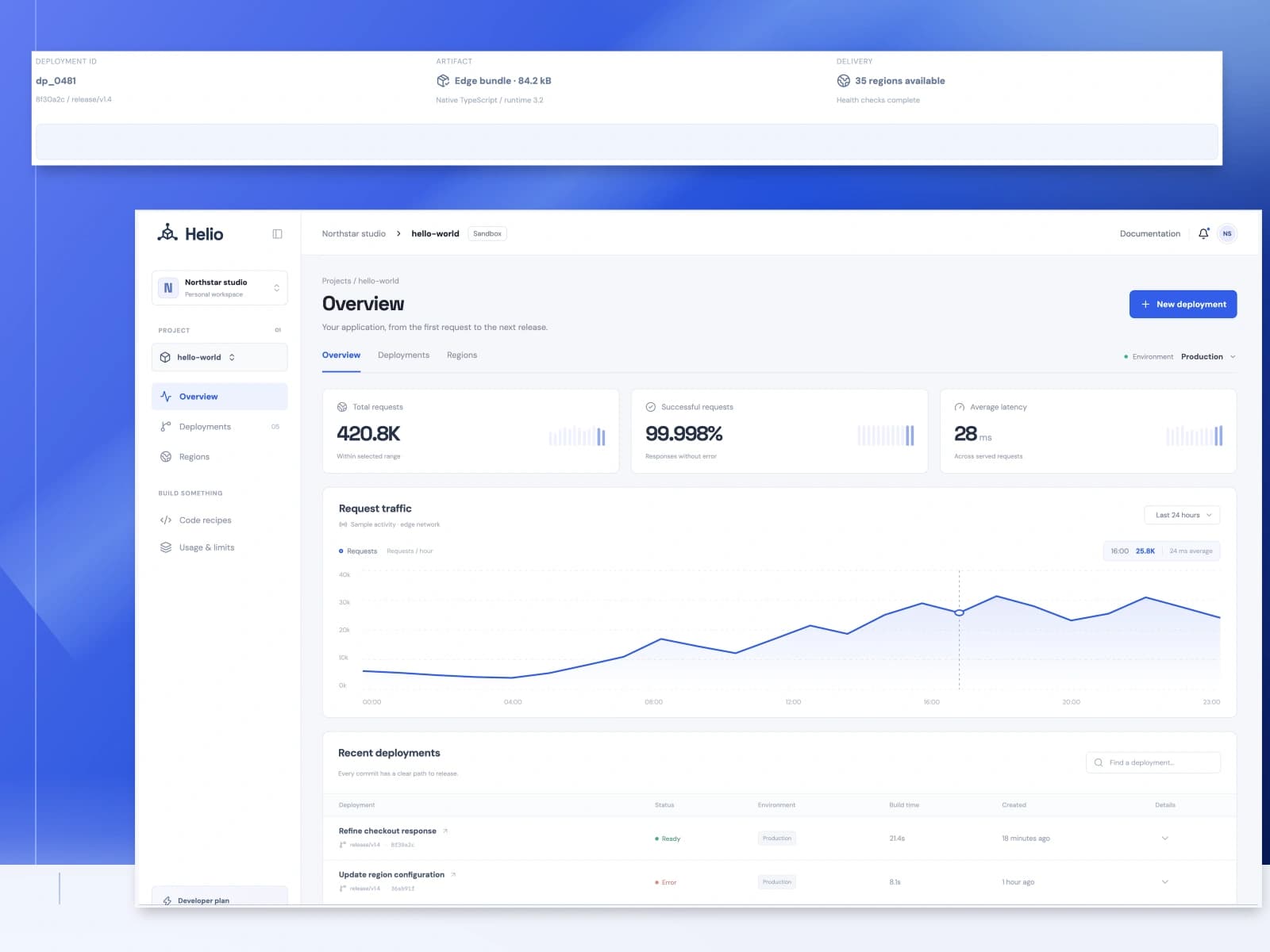
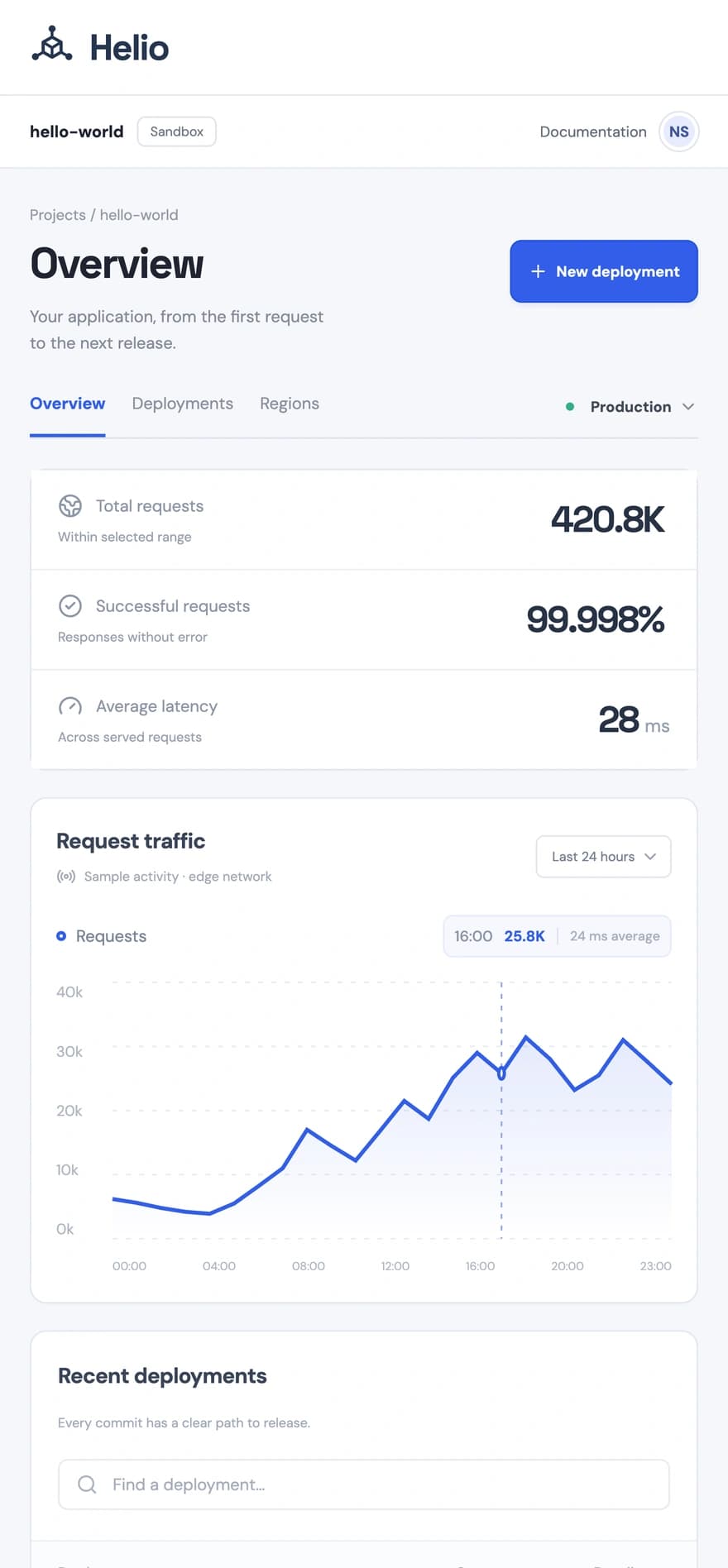
Helio is a developer workspace built around the life of an application. A pearl sidebar gives projects and environments a clear home; a wide cobalt traffic plot connects request volume, response health, and latency to a selected hour. The deployment ledger opens each commit into its build details, while a focused release dialog traces compilation, distribution, configuration errors, and recovery. A region view reveals the connected compute core, with concise code recipes and visible usage limits below the console. Compact typography, pale surfaces, and precise signal colors keep dense information calm. Its geometric identity expresses one application reaching a distributed network.
- Role
- Brand identity and frontend design
- Year
- 2026
- Platform
- Responsive website
- Status
- live

The problem
A developer needs to connect request health to the release that produced it. Analytics and deployment records must offer useful detail without hiding the application itself.
What I built
A developer console with selectable traffic, release records, an interactive build flow and a regional topology view.
Inside the product.
Screens from the working product, with demonstration data.
Desktop website
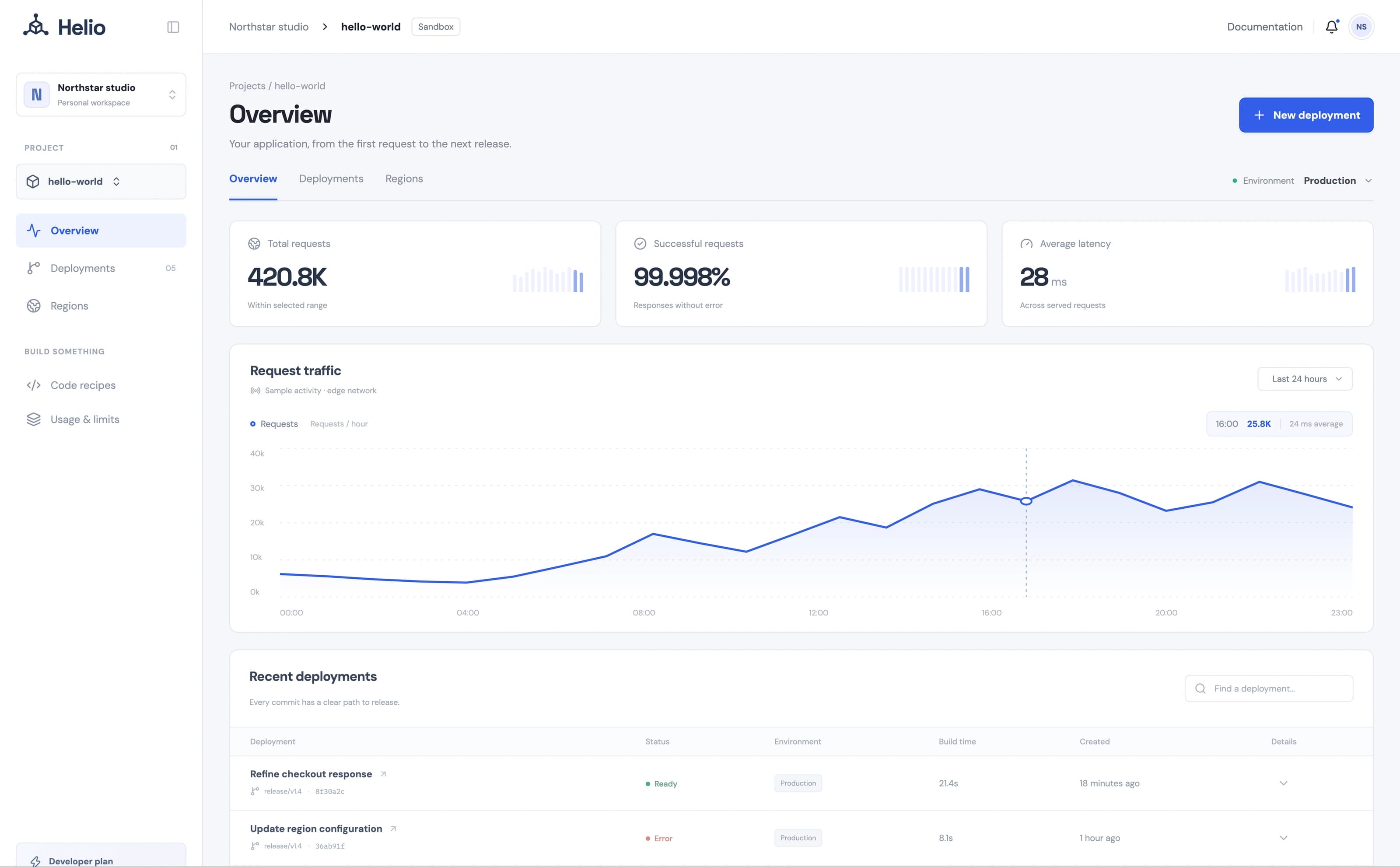
A cobalt request plot leads the pearl console. The compact release ledger and sidebar place build context around that primary application view.
Scroll sideways to inspect the interface.
The choices behind it.
Brand identity and frontend design
Use one dominant signal
A cobalt request plot leads the pearl console. The compact release ledger and sidebar place build context around that primary application view.
Follow a release through its states
Selecting a deployment reveals its commit and build facts. The release flow makes compilation, distribution and recovery visible as distinct steps.
One application, distributed
A geometric compute core branches toward three deployment nodes, expressing one application distributed across a global network.
From start to finish.
- Inspect the application traffic
- Open a deployment record
- Follow release and region details
Build details Stack, scope, and implementation
Built with
- React 19
- TypeScript
- Vite
- CSS
Areas
- Web design
- Brand identity
- Cloud
- Developer tools
- Technical
- Cobalt